
How to use StakeStone with Enkrypt
Use StakeStone with Enkrypt to earn yield on ETH, stablecoins, and BTC — all from MEW's self-custodial multichain browser wallet.

StakeStone is a crypto-native neo bank built on blockchain infrastructure, replacing traditional centralized intermediaries with programmable, trustless systems. Its Earn module is powered by three core yield-bearing tokens — STONE (liquid ETH staking), STONEUSD (a yield-bearing stablecoin backed by market-neutral strategies), and STONEBTC (a BTC derivative that generates yield while maintaining DeFi liquidity) — all designed to deliver institutional-grade returns to everyday users across a borderless, on-chain financial layer.
Enkrypt is a multichain, non-custodial, and open-source web3 browser wallet built by the team behind MEW (MyEtherWallet). With Enkrypt, users and developers can generate accounts, manage tokens and NFTs, and interact with DApps on Ethereum, Solana, as well as Bitcoin, Substrate and any EVM chains. Follow the instructions in this guide on how to use Enkrypt with StakeStone!
Connecting Your Wallet
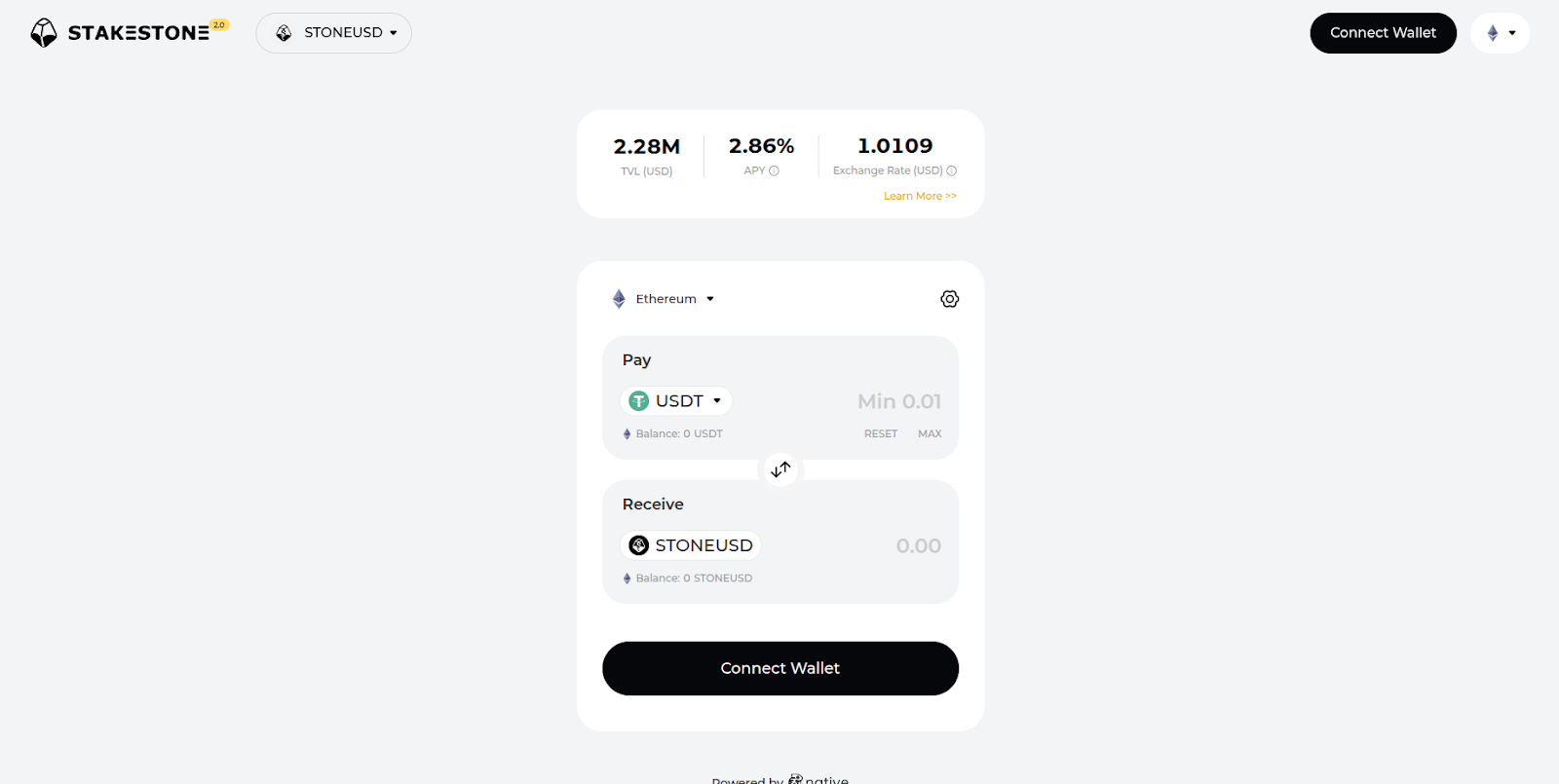
First, head to the StakeStone website then click ‘Connect Wallet’ at the top right.
Disclaimer: Keep in mind StakeStone is a third-party DApp and is not affiliated with MEW in any way. Using DeFi involves some inherent risk. Please do your research and proceed at your own discretion.
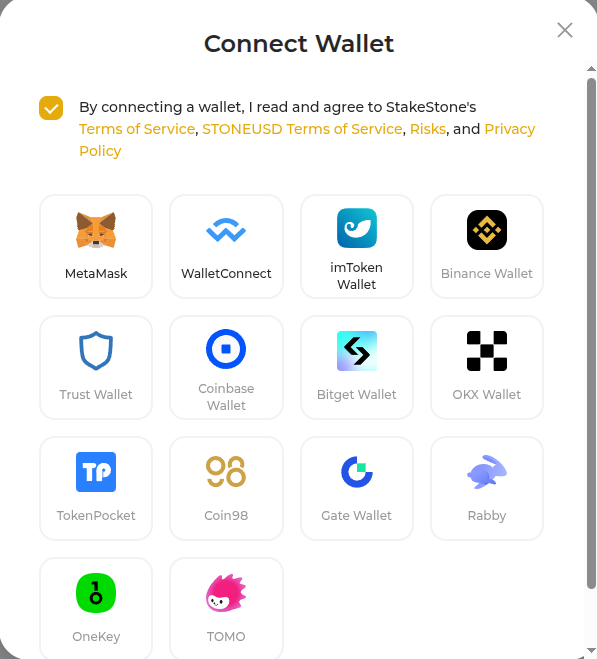
Click the MetaMask option. This works because Enkrypt is able to emulate the MetaMask connection type.
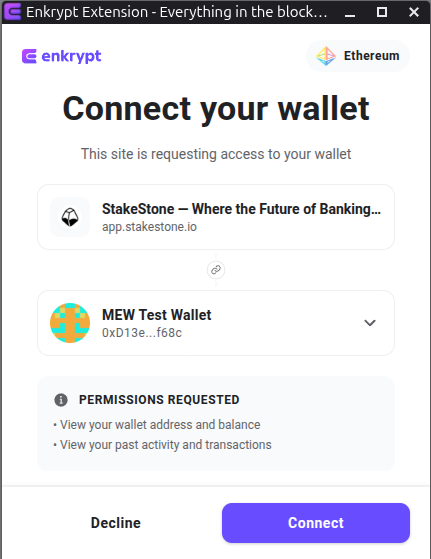
On the Enkrypt pop up, select the account you want to connect with then click ‘Connect’.
You should see your public wallet address at the top right of the page.

Swapping Your Tokens to StoneUSD
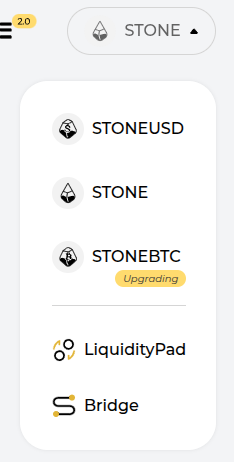
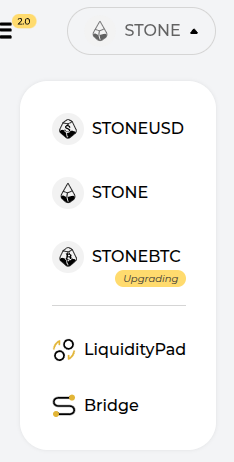
At the top left of the page, hover over the dropdown menu then select STONEUSD.
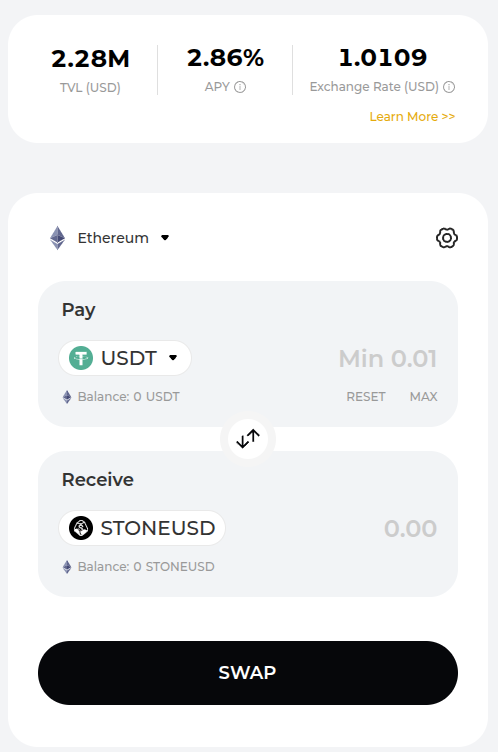
Here, you should see more information about the STONEUSD token.
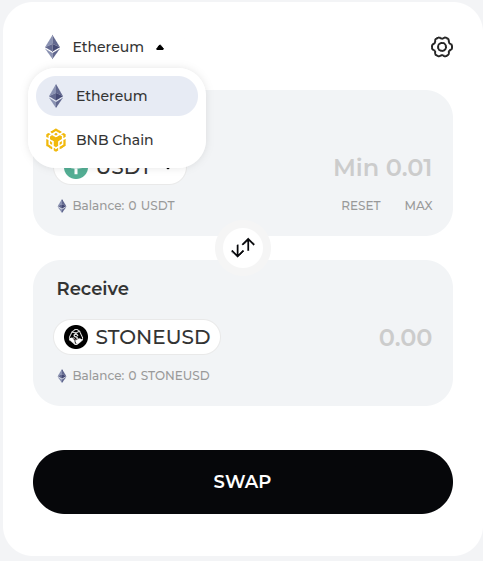
You can hover over the network dropdown to select the network you want to swap your tokens on. We will leave it on Ethereum for this example.
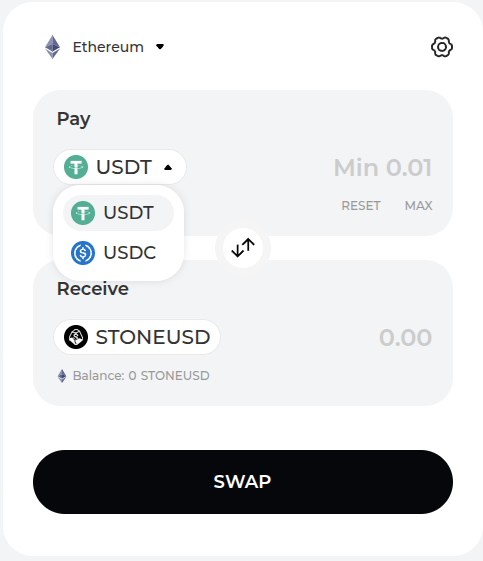
You can hover over the token dropdown to open the token selection menu. We will select the USDC option for this example.
Enter the amount you want to swap then click ‘Swap’.
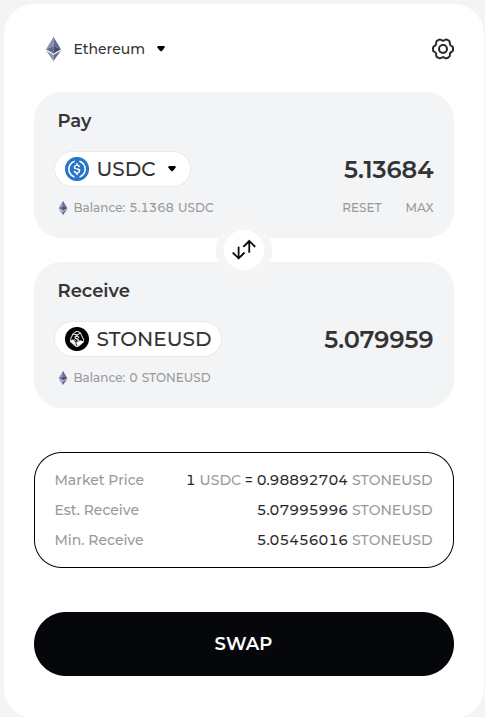
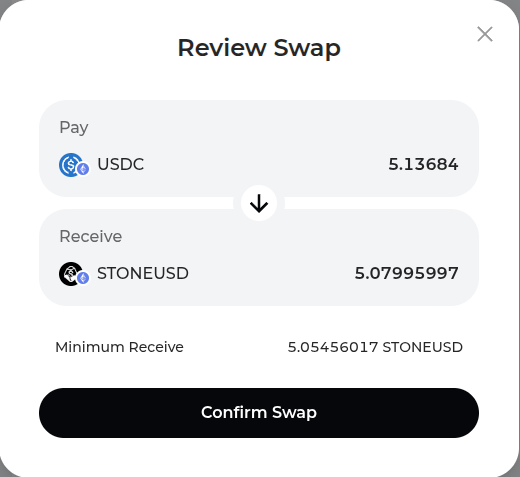
Review the swap then click ‘Confirm Swap’.
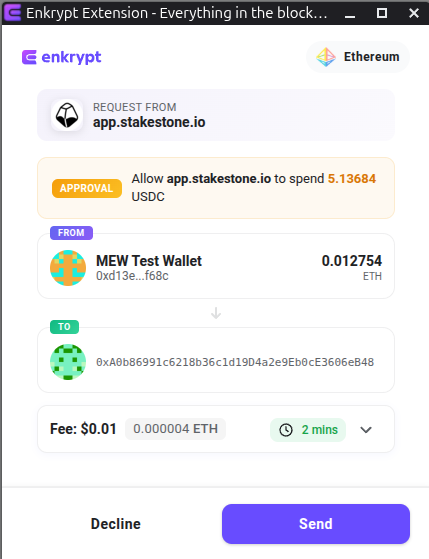
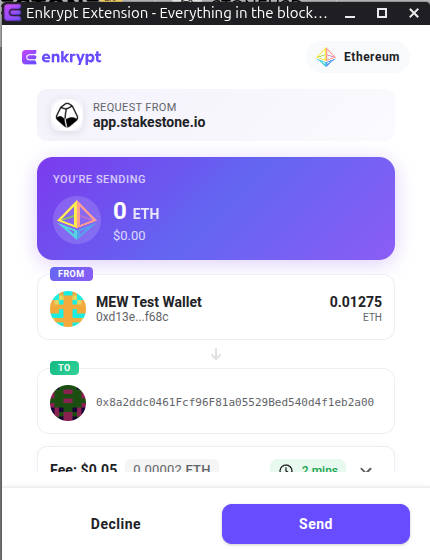
On the Enkrypt pop up, confirm the approval transaction by clicking ‘Send’.
Once the transaction has been broadcasted you will need to wait for the blockchain to confirm the transaction. This may take a few minutes depending on network congestion.
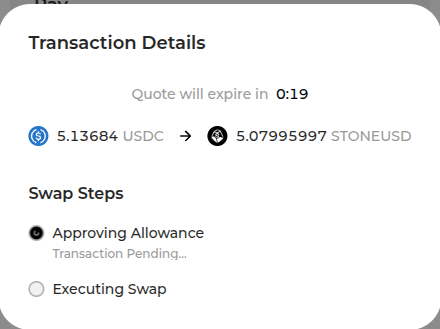
Once the approval transaction is confirmed, you will need to execute the swap transaction by clicking ‘Send’ on the Enkrypt pop up.
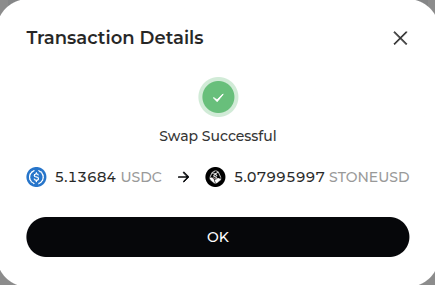
Once the swap transaction is confirmed on the blockchain the pop up will state ‘Swap Successful’.
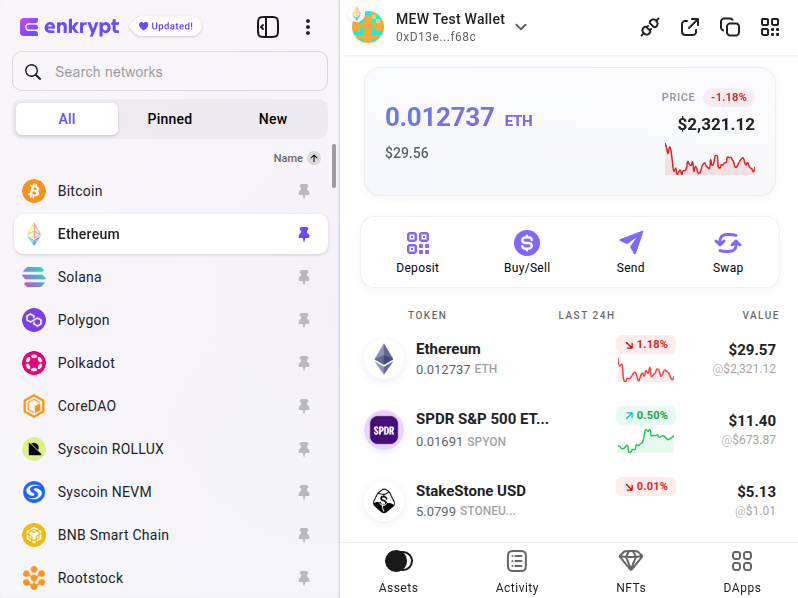
You should be able to see your StakeStone USD in your Enkrypt wallet.
Staking Your ETH
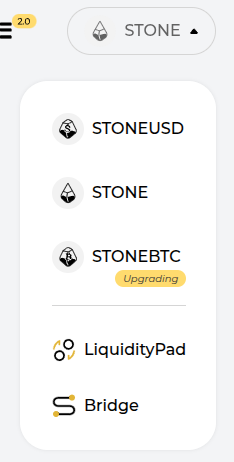
At the top left of the page, hover over the dropdown menu then select STONE.
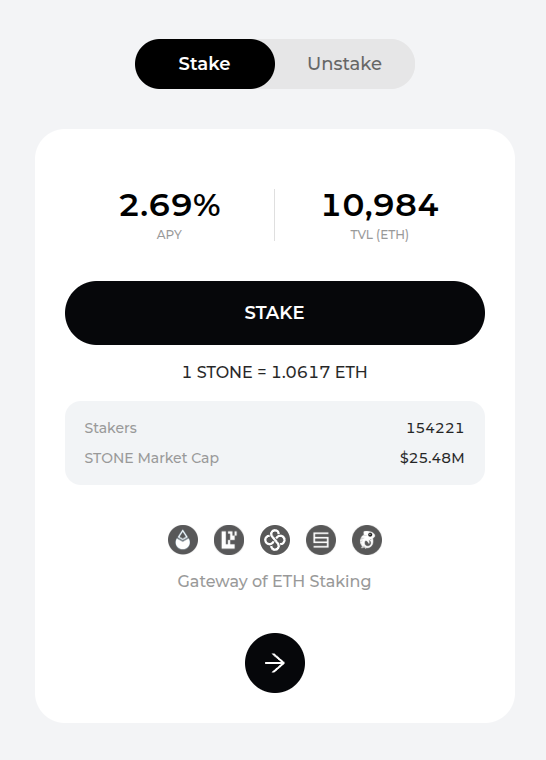
Here you can see more details including the APY, TVL and conversion rate. Click ‘Stake’ to proceed.
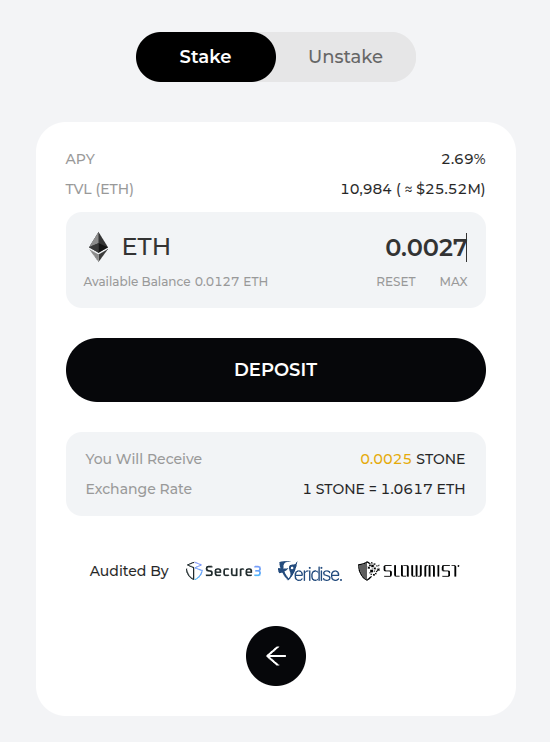
Enter the amount of ETH you want to stake then click ‘Deposit’.
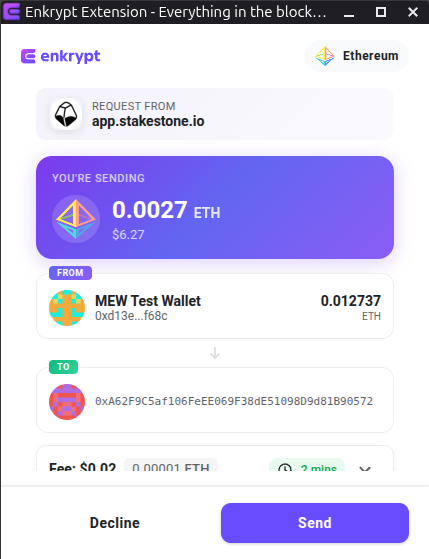
On the Enkrypt pop up, confirm the transaction by clicking the ‘Send’ button.
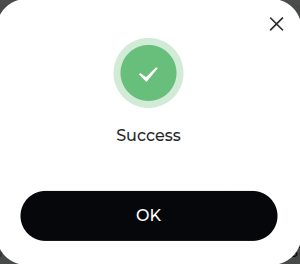
Once the transaction is complete, the pop up should state ‘Success’.
You should see your StakeStone ETH in your Enkrypt wallet.
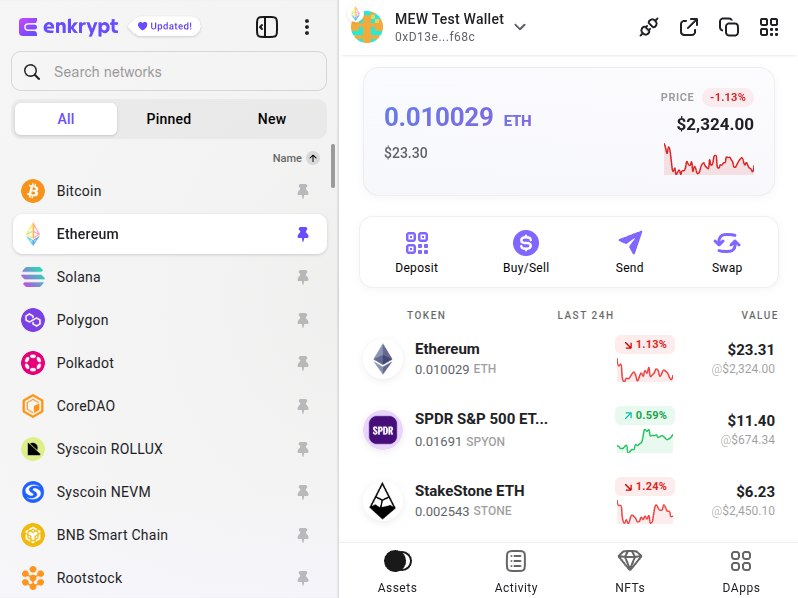
Unstaking Your ETH
At the top left of the page, hover over the dropdown menu then select STONE.
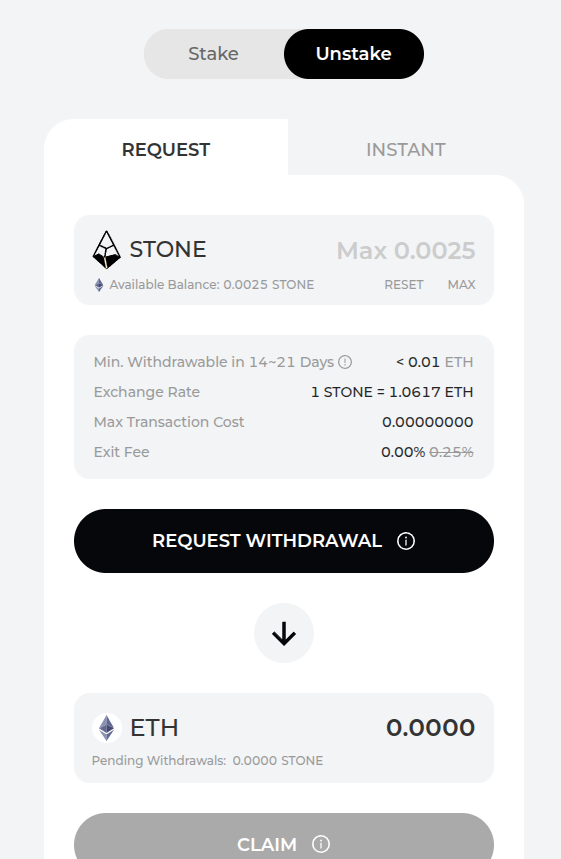
Select the ‘Unstake’ option then select ‘Request’ or ‘Instant’. The Request option will take 14 to 21 days to withdraw your full amount of ETH from staking and if you choose Instant you will receive your ETH instantly but will have a lower exchange rate.
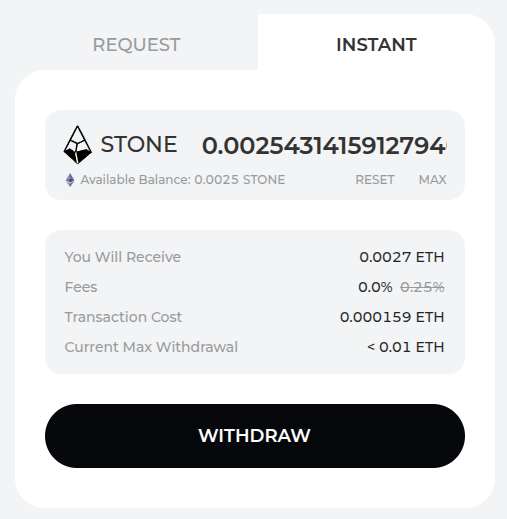
We will choose Instant for this example. Enter the amount of ETH you want to withdraw then click ‘Withdraw’.
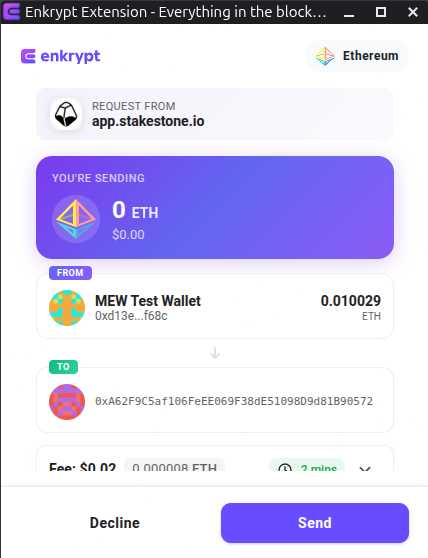
Confirm the withdrawal transaction on the Enkrypt pop up by clicking ‘Send’.
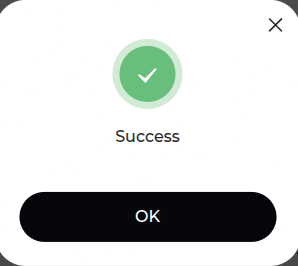
The pop up will state that your transaction was a success.
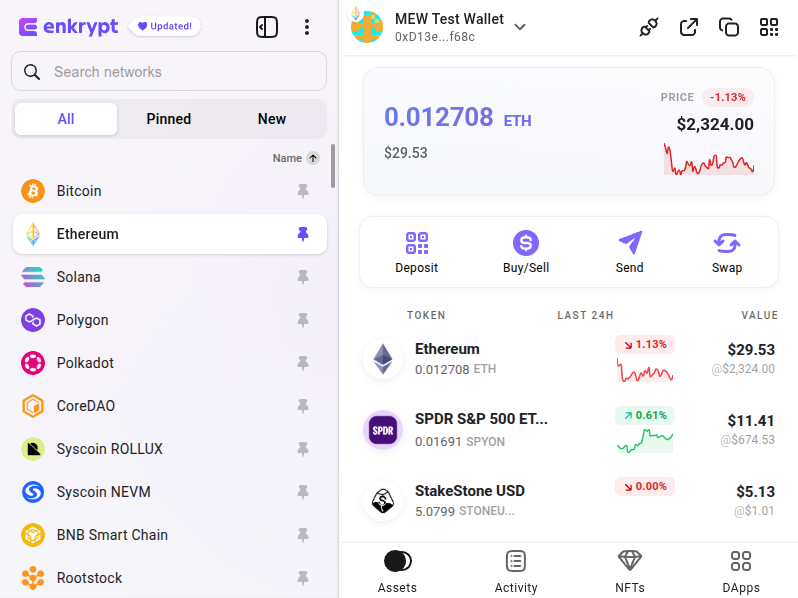
You should see your ETH back in your Enkrypt wallet.
Thank you for checking out our guide on How to use StakeStone with Enkrypt! Make sure to follow us on X(Twitter) and let us know your thoughts. Sign up for our newsletter to stay up to date with MEW releases, and check out our weekly podcast Crypto Currents for the latest news in crypto.